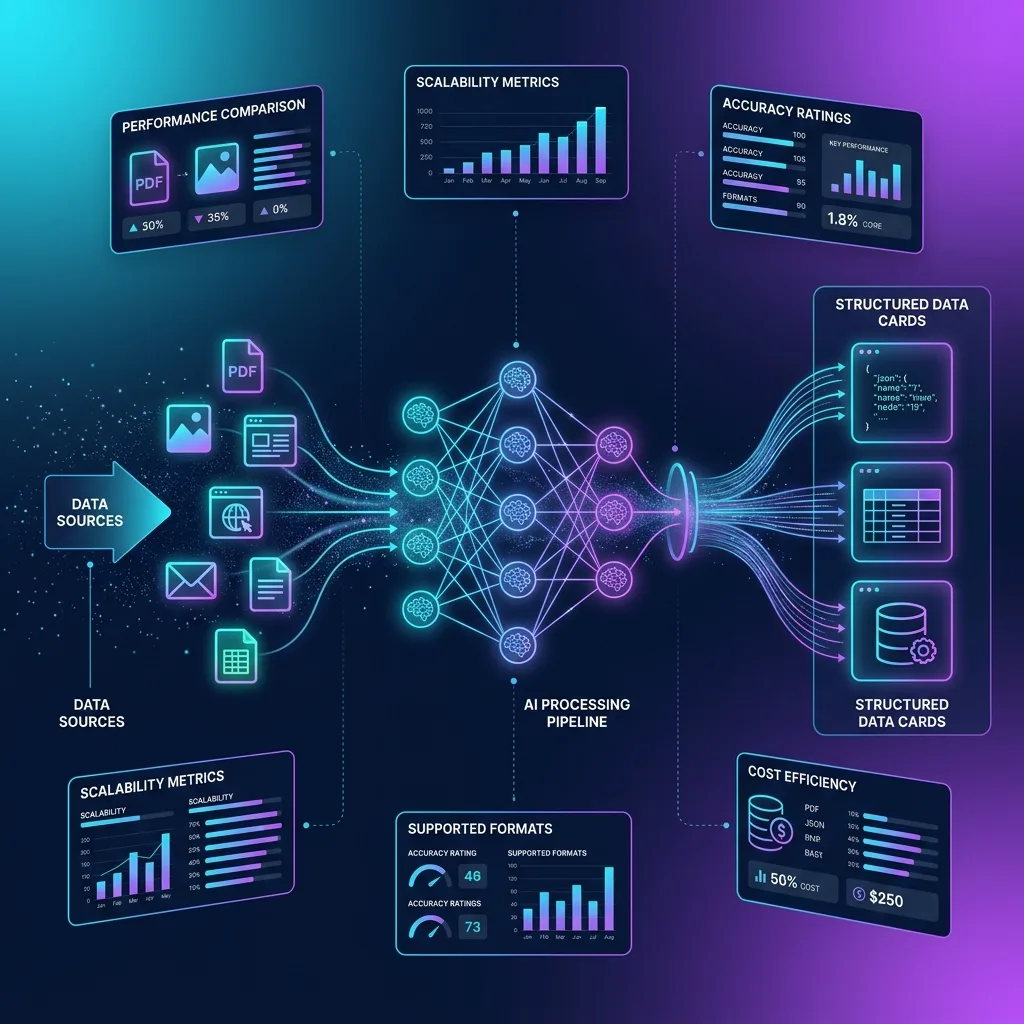
Data extraction — the process of pulling structured information from unstructured sources like PDFs, images, emails, and web pages — has undergone a seismic transformation in 2026. The era of template-based OCR and rigid coordinate parsers is ending. Multimodal vision AI has fundamentally changed what’s possible: any document a human can read, an AI can now extract with 97%+ accuracy.
But the market is flooded with options. Enterprise SaaS platforms like Rossum charge $2,000–$10,000/month. Cloud APIs like AWS Textract bill per page. And a new category of custom AI pipelines using open-source frameworks like Pydantic AI with Gemini 3.5 Flash can process documents at 99.5% lower cost.
This guide evaluates the best data extraction tools in 2026 across every dimension that matters: accuracy, cost, customizability, deployment flexibility, and support for modern document formats.
Table of Contents
- What is Data Extraction in 2026?
- Types of Data Extraction
- How to Evaluate Data Extraction Tools
- The Best Data Extraction Tools in 2026
- Enterprise SaaS vs Custom AI: The Real Cost Analysis
- Building Your Own Data Extraction Pipeline
- Data Extraction Best Practices
- Frequently Asked Questions
What is Data Extraction in 2026?
Data extraction is the automated process of identifying, capturing, and structuring information from diverse source documents — PDFs, images, scanned papers, web pages, emails, and spreadsheets — into machine-readable formats like JSON, CSV, or database records.
In 2026, data extraction has evolved through three distinct generations:
Generation 1: Rule-Based OCR (2010–2018)
Template-matching OCR engines that required manual coordinate mapping for every new document layout. Each vendor invoice needed its own extraction template. Scaling required proportional human effort.
Generation 2: ML-Enhanced OCR (2018–2024)
Machine learning models trained on document datasets that could handle layout variations without templates. Tools like Rossum, ABBYY, and AWS Textract dominated this era. Accuracy plateaued at 92–96%.
Generation 3: Multimodal Vision AI (2024–Present)
Large multimodal models like Gemini 3.5 Flash, Claude 4, and GPT-4o that process documents as visual images rather than text streams. No templates. No training. No coordinate mapping. Zero-shot extraction with 97–99% accuracy.
The key difference: Generation 3 tools read documents semantically — understanding that a number belongs to a specific column based on visual proximity, not pixel coordinates. This eliminates the entire class of extraction errors caused by borderless tables, multi-line cells, and inconsistent formatting.
Types of Data Extraction
Document Intelligence
Extracting structured data from business documents: invoices, receipts, purchase orders, contracts, tax forms, bank statements. This is the largest market segment, driven by accounts payable automation and compliance requirements.
Web Scraping
Programmatically collecting data from websites using headless browsers, APIs, or HTML parsers. Tools like ScrapingBee, Bright Data, and Octoparse dominate this category.
Database/ETL Extraction
Moving data between databases, data warehouses, and analytics platforms. The classic ETL (Extract, Transform, Load) pipeline using tools like Boltic, Airbyte, or Fivetran.
Identity Document Parsing
A specialized subset focused on passports, national IDs, driver’s licenses, and KYC documents. Requires MRZ validation, check digit verification, and fraud detection.
This guide focuses primarily on document intelligence and identity parsing — the categories where multimodal AI has created the most dramatic improvements.
How to Evaluate Data Extraction Tools
When selecting a data extraction tool in 2026, evaluate across these eight dimensions:
| Criterion | Questions to Ask |
|---|---|
| Accuracy | What’s the field-level accuracy on your specific document types? |
| Cost Per Document | What’s the all-in cost including API fees, infrastructure, and labor? |
| Template Requirements | Does it require document templates or is it zero-shot? |
| Format Support | Can it handle PDFs, images, scanned docs, and handwritten text? |
| Customizability | Can you define custom extraction schemas for your use case? |
| Integration | Does it integrate with your existing systems (ERP, CRM, databases)? |
| Scalability | Can it handle your volume (100/day vs 100,000/day)? |
| Data Security | Where is data processed? Is there zero-data-retention? |
The Best Data Extraction Tools in 2026
1. Custom Pydantic AI + Gemini 3.5 Flash Pipeline
Category: Self-hosted multimodal vision AI
Best For: Developers and engineering teams who want maximum accuracy, customizability, and cost efficiency
The most powerful data extraction approach in 2026 isn’t a SaaS product — it’s a custom pipeline built with open-source tools:
- Pydantic AI for type-safe schema definition and validation retry loops
- Google Gemini 3.5 Flash for multimodal vision extraction
- LiteLLM for multi-provider routing and cost tracking
- FastAPI for production REST API endpoints
- Docker-Compose for containerized deployment
Why it wins:
- Zero-shot extraction: No templates or training required for new document types
- Custom schemas: Define exactly the data structure you need with Pydantic models
- 99.5% cheaper: $0.00008 per page vs $0.015 for AWS Textract
- Full control: Self-hosted, no vendor lock-in, data never leaves your infrastructure
Limitations:
- Requires Python engineering expertise to build and maintain
- No built-in GUI for business users
- You manage your own infrastructure
Cost: $0.06–$0.15 per 1,000 documents
2. Rossum (by Coupa)
Category: Enterprise AI document processing platform
Best For: Large enterprises with high-volume AP automation needs and existing ERP integrations
Rossum is an enterprise-grade intelligent document processing (IDP) platform that uses proprietary AI (Rossum Aurora) to extract data from business documents without templates.
Key Features:
- 96% average extraction accuracy
- 82% time saved on data validation
- Template-free processing — adapts to layout changes
- Pre-built ERP integrations (SAP, Coupa, NetSuite, Workday)
- E-invoicing compliance for EU mandates
- Built-in fraud detection capabilities
Strengths:
- Mature enterprise platform with SOC2 compliance
- Excellent for AP automation with 3-way matching
- Human-in-the-loop validation UI
- Continuous learning from user corrections
Limitations:
- Enterprise pricing ($2,000–$10,000+/month)
- Overkill for simple extraction tasks
- Vendor lock-in with proprietary AI model
Cost: Custom enterprise pricing, typically $2,000–$10,000/month
3. AWS Textract
Category: Cloud API document extraction
Best For: AWS-native organizations needing scalable document processing without leaving the AWS ecosystem
Amazon Textract uses machine learning to automatically extract text, handwriting, and structured data from scanned documents.
Key Features:
- Forms extraction (key-value pairs)
- Tables extraction (rows and columns)
- Handwriting recognition
- Identity document parsing (ID, driver’s license)
- Query-based extraction (ask questions about documents)
Strengths:
- Deep AWS integration (S3, Lambda, Step Functions)
- Pay-per-page pricing — no monthly minimums
- Good table extraction for standard grid layouts
- HIPAA-eligible for healthcare documents
Limitations:
- Struggles with borderless tables and multi-line cells
- No type-safe output validation — returns raw JSON
- Limited customization of output schemas
- Higher cost than multimodal AI alternatives at scale
Cost: $1.50 per 1,000 pages (text), $15.00 per 1,000 pages (tables)
4. Google Document AI
Category: Cloud API document processing
Best For: Google Cloud users needing pre-trained document processors with custom model training
Google Document AI provides pre-trained processors for common document types and allows custom training for specialized formats.
Key Features:
- Pre-trained processors for invoices, receipts, W-2s, IDs, bank statements
- Custom document extractor training
- Human-in-the-loop review UI
- Batch and online processing modes
- Layout parser for complex document structures
Strengths:
- Pre-trained processors for common document types
- Custom training capability for niche documents
- Integration with Google Cloud ecosystem
- Competitive pricing for pre-trained processors
Limitations:
- Custom model training requires labeled training data
- Less flexible than direct Gemini API for novel document types
- Separate product from Gemini API (different pricing, different capabilities)
Cost: $0.01–$0.065 per page depending on processor type
5. ABBYY Vantage
Category: Enterprise intelligent automation platform
Best For: Organizations with complex document workflows requiring pre-built cognitive skills
ABBYY Vantage is a no-code intelligent document processing platform with pre-built AI “skills” for common document types.
Key Features:
- Pre-trained document skills marketplace
- NLP-powered classification
- Process mining integration
- Multi-language support (200+ languages)
- Cloud and on-premise deployment options
Strengths:
- Largest library of pre-trained document skills
- Strong multi-language and multi-script support
- Mature on-premise deployment for regulated industries
- Process intelligence integration
Limitations:
- Complex licensing and pricing model
- Steeper learning curve than modern AI alternatives
- Template-based approach for custom documents
Cost: Custom pricing, typically $1,500–$8,000/month
6. Octoparse
Category: Web scraping and data extraction
Best For: Marketing, sales, and e-commerce teams needing web data extraction without coding
Octoparse is a visual web scraping tool with point-and-click data extraction from websites.
Key Features:
- No-code point-and-click interface
- Cloud-based scraping with IP rotation
- Scheduled and automated extraction tasks
- Export to CSV, Excel, API, or database
Strengths:
- Zero coding required for web scraping
- Handles JavaScript-rendered pages
- Automatic IP rotation to avoid blocking
Limitations:
- Web scraping only — no document/PDF processing
- Limited to structured web data
- Can be blocked by anti-scraping measures
Cost: Free tier available; paid plans from $89/month
7. Diffbot
Category: AI-powered web data extraction
Best For: Enterprise teams needing structured data from web pages at scale with knowledge graph enrichment
Diffbot uses computer vision and machine learning to extract structured data from web pages, articles, products, and discussions.
Key Features:
- Automatic article, product, and discussion extraction
- Knowledge Graph with 10+ billion entities
- Natural language understanding across 100+ languages
- Custom data pipelines
Strengths:
- Excellent for extracting data from unstructured web content
- Knowledge Graph enrichment for entity resolution
Limitations:
- Primarily web-focused — not for PDFs or scanned documents
- Enterprise pricing
- Complex setup for custom extraction rules
Cost: Custom pricing starting at ~$299/month
Enterprise SaaS vs Custom AI: The Real Cost Analysis
Here’s the honest cost comparison for processing 50,000 documents per month:
| Cost Element | Rossum (Enterprise SaaS) | AWS Textract (Cloud API) | Custom Gemini 3.5 Flash Pipeline |
|---|---|---|---|
| Software/API Cost | $5,000–$10,000/month | $750/month (tables) | $4.25/month (API tokens) |
| Infrastructure | Included | AWS compute ~$200/month | Docker server ~$50/month |
| Engineering Time | 2hrs/month (config) | 8hrs/month (maintenance) | 16hrs/month (initial), 4hrs/month (ongoing) |
| Engineering Cost | $200/month | $800/month | $400/month (ongoing) |
| Total Monthly | $5,200–$10,200 | $1,750 | $454 |
| Total Annual | $62,400–$122,400 | $21,000 | $5,448 |
| 5-Year TCO | $312,000–$612,000 | $105,000 | $27,240 |
For engineering teams with Python expertise, a custom Gemini 3.5 Flash pipeline delivers 91% cost savings vs cloud APIs and 95–97% savings vs enterprise SaaS — while providing superior accuracy and complete customization.
Building Your Own Data Extraction Pipeline
If the cost analysis convinces you, here’s the minimal architecture:
# Complete data extraction pipeline in 40 lines
from pydantic import BaseModel, Field
from pydantic_ai import Agent
from pydantic_ai.models.openai import OpenAIModel
from fastapi import FastAPI, UploadFile, File

# 1. Define your extraction schema
class ExtractedDocument(BaseModel):
    document_type: str = Field(description="Type: invoice, receipt, contract, etc.")
    key_fields: dict = Field(description="All key-value pairs found in the document")
    tables: list[list[dict]] = Field(description="All tables as lists of row dictionaries")
    total_amount: float | None = Field(default=None, description="Total monetary amount if applicable")
    dates: list[str] = Field(default_factory=list, description="All dates found in YYYY-MM-DD format")
    entities: list[str] = Field(default_factory=list, description="Company/person names mentioned")

# 2. Create the agent
model = OpenAIModel(model_name="fast-model", base_url="http://litellm:4000", api_key="sk-key")
extractor = Agent(
    model=model,
    result_type=ExtractedDocument,
    system_prompt="Extract all structured data from the provided document image.",
    retries=3
)

# 3. Serve as API
app = FastAPI(title="Data Extraction API")

@app.post("/extract", response_model=ExtractedDocument)
async def extract(file: UploadFile = File(...)):
    image_bytes = await file.read()
    result = await extractor.run(
        user_prompt=["Extract all data from this document.", image_bytes, file.content_type]
    )
    return result.data
That’s a production-ready data extraction API in 40 lines of Python. Deploy it with Docker-Compose, point it at LiteLLM for multi-provider routing, and you have a system that rivals $10,000/month enterprise platforms.
Data Extraction Best Practices
- Define clear schemas: Use Pydantic models to specify exactly what fields you need. Vague extraction produces vague results.
- Validate outputs mathematically: If extracting financial data, cross-validate totals against line item sums.
- Use high-resolution images: Render PDFs at 200+ DPI before feeding to vision models.
- Implement human-in-the-loop: Flag low-confidence extractions for manual review rather than accepting incorrect data.
- Cache aggressively: Use LiteLLM’s caching layer to avoid re-processing identical documents.
- Monitor extraction quality: Track accuracy metrics per document type and retrain/adjust prompts when quality drops.
Frequently Asked Questions
What is a data extraction tool?
A data extraction tool automatically captures structured information from unstructured sources — PDFs, images, web pages, emails, scanned documents. It eliminates manual data entry by using AI, OCR, or rule-based systems to identify and extract specific data fields.
What is the best data extraction tool in 2026?
For engineering teams: a custom Pydantic AI + Gemini 3.5 Flash pipeline offers the highest accuracy (97–99%), lowest cost ($0.00008/page), and complete customization. For enterprise AP automation: Rossum provides the most mature end-to-end platform. For AWS-native teams: AWS Textract offers seamless ecosystem integration.
How much do data extraction tools cost?
Costs range from $0.00008 per page (custom Gemini 3.5 Flash pipeline) to $0.20+ per page (enterprise SaaS platforms). The total cost of ownership depends on volume, document complexity, and required integrations.
What is the difference between OCR and AI data extraction?
OCR (Optical Character Recognition) converts images of text into machine-readable characters but doesn’t understand document structure. AI data extraction uses multimodal vision models to understand visual layout, table structures, and semantic relationships — extracting structured, validated data instead of raw text.
Can I build a data extraction tool without coding?
Enterprise platforms like Rossum, ABBYY Vantage, and Google Document AI offer no-code or low-code interfaces. However, for maximum accuracy and cost efficiency, a custom Python pipeline with Pydantic AI provides dramatically better results and economics.
Conclusion
The data extraction landscape in 2026 has bifurcated into two clear paths:
- Enterprise SaaS (Rossum, ABBYY) for large organizations needing turnkey AP automation with ERP integrations — at $2,000–$10,000/month.
- Custom AI pipelines (Pydantic AI + Gemini 3.5 Flash + LiteLLM) for engineering teams wanting maximum accuracy, full customization, and 95%+ cost savings — at $50–$500/month for equivalent volumes.
The right choice depends on your team’s technical capabilities and volume requirements. But the economics are undeniable: multimodal vision AI has made document intelligence accessible to every organization, at any scale.
Explore our specialized extraction guides: invoice parsing for loyalty programs, resume parsing, and passport KYC verification.
Get Weekly AI Architect Cost & Strategy Updates
Join 14,000+ developers receiving weekly, data-driven cost-reduction blueprints and production-ready agent guidelines.
